How to use innerHTML and DomSanitizer in Angular templates
Content edited with plugins such as tinymce is stored in the database as HTML. This post explains how to render that HTML safely back into an Angular template.
Assume the HTML stored in the database looks like the following.
<h1><span style="color: #f1c40f;">Hello. I am Sangheui Lee.</span></h1>The most common mistake is to drop the HTML directly inside the tag, like this:
<div class="post-content">{{ post.content }}</div>With this approach the HTML is rendered as plain text, exactly as shown in the image below.
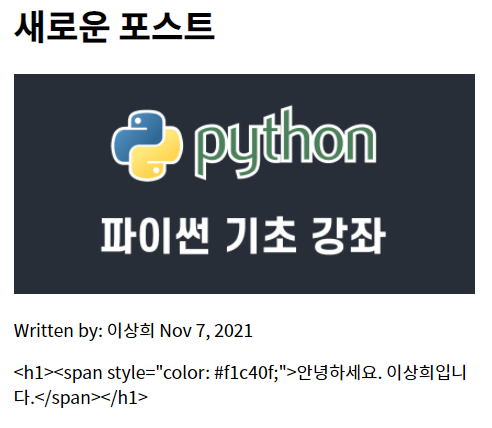
This problem is solved by using the innerHTML property binding as follows.
<div class="post-content" [innerHTML]="post.content"></div>
The HTML is rendered correctly, but a second problem surfaces. Inspecting the actual output in the browser dev tools shows that the inline CSS styles on the span tag have been stripped out, as shown below.
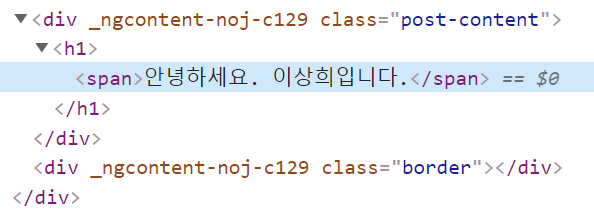
This behavior is Angular’s built-in protection against unsafe HTML being injected into the DOM. The content must be explicitly marked as trusted, which is done using Angular’s DomSanitizer class.
First, create a pipe class that can be used inside templates.
$ ng g pipe trust-htmlOnce trust-html.pipe.ts is generated, modify it as shown below.
import { Pipe, PipeTransform } from '@angular/core';
import { DomSanitizer } from '@angular/platform-browser';

@Pipe({
  name: 'trustHtml'
})
export class TrustHtmlPipe implements PipeTransform {

  constructor(private sanitizer: DomSanitizer) {
  }

  transform(content): unknown {
    return this.sanitizer.bypassSecurityTrustHtml(content);
  }
}
Remember to register it in the declarations array of app.module.ts.
import { TrustHtmlPipe } from './pipes/trust-html.pipe';

@NgModule({
  declarations: [
    AppComponent,
    ... omitted ...
    TrustHtmlPipe,
  ],
The pipe is then used in the template as follows.
<div class="post-content" [innerHTML]="post.content | trustHtml"></div>
This post covered how to use the innerHTML property binding together with a pipe class to safely render HTML stored in the database inside Angular templates.